
Laptop Repair Calgary: Laptop Running Slow? 8 Problems to Fix Before Buying a New One
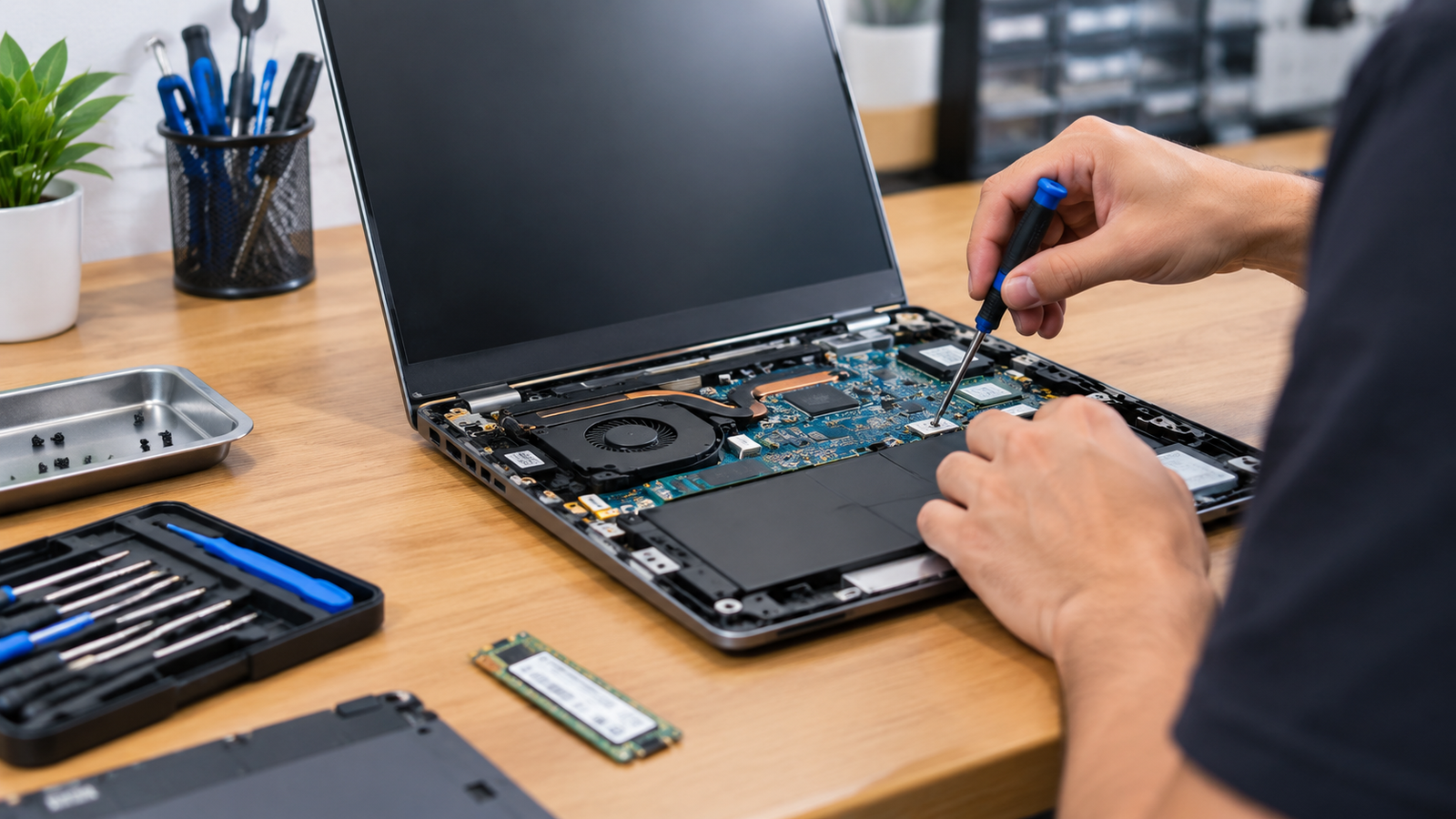
A slow laptop is frustrating. Pages load late, apps freeze, and even typing can feel delayed. Many people assume the machine is too old and start shopping for a new one. That can be a costly mistake.
Most slowdowns come from a small set of fixable problems. This guide explains eight of them in plain language. Some checks you can do at home. Others need a technician, and a trusted laptop repair Calgary shop can tell you which is which before you spend anything. Knowing the difference can save you hundreds of dollars.
Why a Laptop Running Slow Is Rarely a Dead End?
When a laptop running slowly becomes part of daily life, one component is usually overloaded. The processor, memory, storage drive, or cooling system may be struggling. Software clutter adds more pressure over time.
Because the causes differ, one fix rarely works for everyone. A proper diagnosis should come first. The eight problems below are listed from the easiest to check to the most technical.
8 Problems to Check Before You Replace Your Laptop
-
The Storage Drive Is Almost Full
Windows needs free space for temporary files and updates. When a drive is more than 90 percent full, performance drops noticeably. Open Settings, then System, then Storage to see what uses the most room. Old downloads, large videos, and duplicate photos are common culprits. Moving them to an external drive or cloud storage often helps right away.
- An Old Hard Drive Is Holding Everything Back
Older laptops use mechanical hard drives. These read data from spinning platters, which is slow. A solid-state drive has no moving parts and is far faster. Startup times can fall from several minutes to under a minute after the upgrade. For many owners, this single change feels like getting a new machine. - There Is Not Enough Memory
RAM holds the data your apps use at this moment. When it runs out, the laptop borrows space from the storage drive, and that process is much slower. Open Task Manager and watch memory use while you work. If it stays above 80 percent, more RAM may help. Some laptops allow upgrades, though others have memory soldered to the board. - Too Many Programs Start Automatically
Many apps launch quietly when you sign in. Chat tools, updaters, and cloud sync clients all compete for resources. Open Task Manager and visit the Startup tab. Turn off anything you do not need. Microsoft also shares general guidance in its Windows performance support articles. This free step can shorten boot time and release memory. - Dust and Heat Are Throttling the Processor
Laptops protect themselves from overheating by lowering processor speed. This is called thermal throttling. Dust inside fans and vents blocks airflow, and dried thermal paste makes the problem worse. If the fan is loud and the base feels hot, cleaning is overdue. A technician can open the case, clear the dust, and apply fresh paste. - Malware or Unwanted Software
Hidden software can use processor power in the background. Browser hijackers and cryptominers are common examples. Run a full scan with Windows Security. Remove toolbars and programs you do not recognize. If the problem returns, a clean operating system install may be needed. - Outdated Drivers and System Updates
Drivers allow Windows to communicate with hardware. Old or damaged drivers can cause stuttering, battery drain, and freezes. Check Windows Update and the manufacturer support page for your model. A failed update can also slow a system down. In that case, a repair install is better than starting over. - A Weak Battery or Power Problem
A worn battery can trigger power-saving behaviour. Some laptops reduce speed when the battery cannot deliver enough current. A swollen battery is also a safety risk. If the trackpad lifts or the case bulges, stop using the laptop and get help immediately.
When Laptop Repair in Calgary Is Better Than Buying New
Replacing a laptop usually costs far more than fixing it. A new drive, extra memory, or a thorough cleaning is often a small fraction of the price of a new device. Repair also keeps your files, programs, and settings in place.
Signs a Repair Is Worth It
- The laptop is under five years old
- The screen, keyboard, and body are in good condition
- Slowness started gradually or after a specific event
- Your software still receives updates
Signs It May Be Time to Replace
- The motherboard has failed, and the repair quote is close to the price of a new laptop
- The processor is too old for the programs you need
- Several parts are failing at the same time
A local technician can run diagnostics and give you an honest quote before any work begins. If you want help, the team at Gadget Rescue offers laptop repair in Calgary for Windows laptops of every make.
Final Thoughts
A slow laptop does not always need a funeral. Free up storage, trim startup apps, scan for malware, and check for heat first. If the problem remains, hardware upgrades or cleaning may restore the speed you remember. When you are unsure, you can book a repair and get a clear diagnosis before you decide.
Frequently Asked Questions
1. Why is my laptop running slow all of a sudden?
Sudden slowness often points to a full drive, a failed update, malware, or overheating. Check storage and Task Manager first. If nothing stands out, a technician can test the drive and memory.
2. How much does it cost to fix a slow laptop?
Cost depends on the cause. Cleaning and software fixes usually cost less than hardware upgrades like an SSD or extra RAM. A technician can give a quote after diagnosis.
3. Will adding RAM or an SSD make my laptop faster?
Often yes, if the current parts are the bottleneck. An SSD improves startup and app loading. More RAM helps when you run many programs together.
4. Is it worth repairing a five-year-old laptop?
It can be, if the body is sound and the parts are upgradeable. Compare the repair cost with the price of a new laptop. A technician can help you weigh both.
5. Does resetting Windows fix a slow laptop?
A reset can remove software clutter and may help. It will not fix a failing drive or overheating. Back up your files before trying it.