
Dyson vacuum not working? Common problems and what causes them
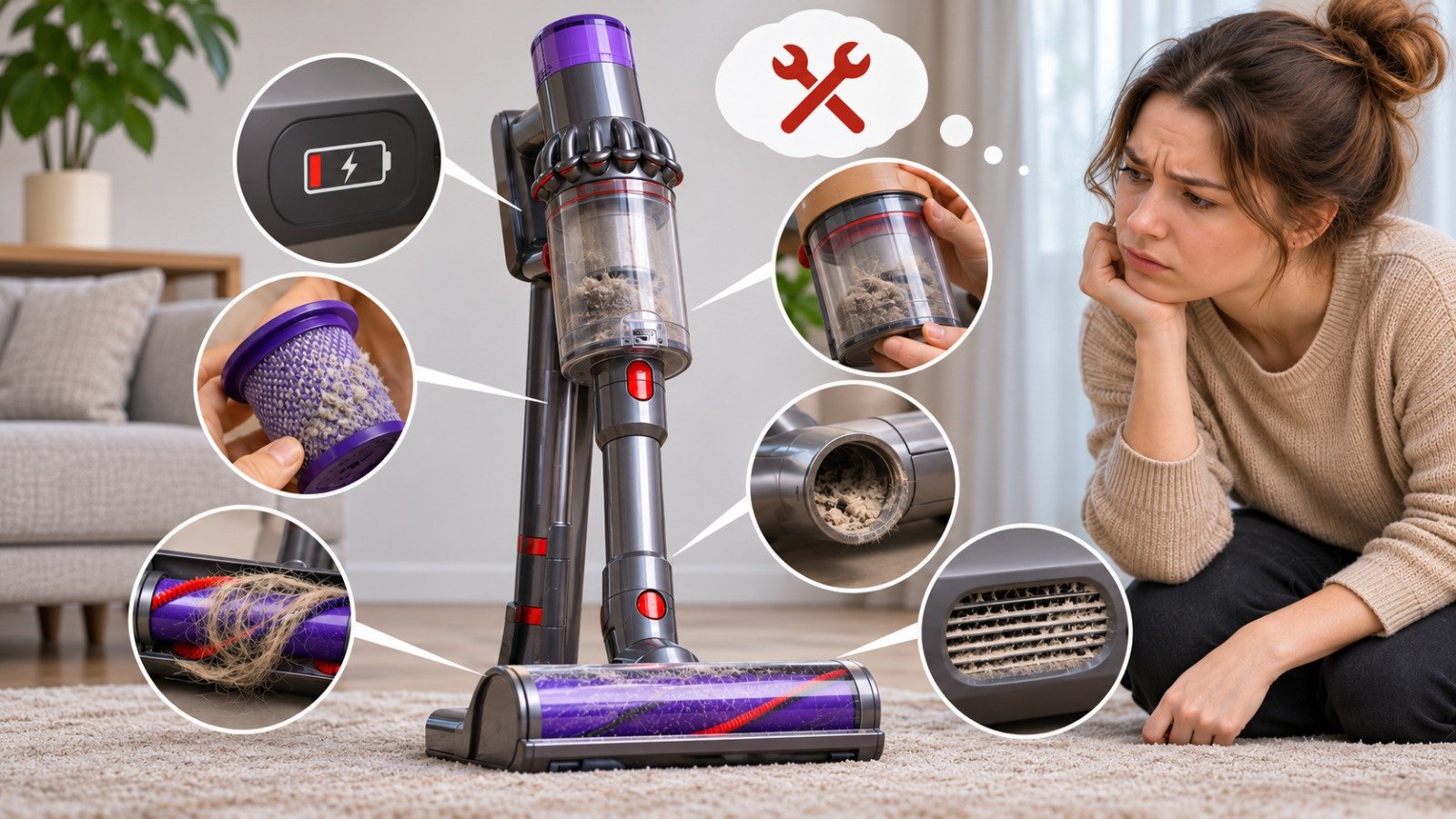
A Dyson vacuum not working is frustrating, especially when the machine ran fine last week. Blocked airflow and a dirty filter cause most faults, and a tired battery explains many of the rest. These are often simple to fix. However, a few problems need a technician. Knowing how the machine works makes it easier to tell the two apart.
How a Dyson vacuum works
A Dyson vacuum pulls air through a high speed motor. Cyclones inside the bin spin that air, which throws dirt outward and into the bin. A filter then catches fine dust before the air leaves the machine. At the floor, a brush bar lifts dirt from carpet fibres. On cordless models, a battery powers the whole system.
Airflow matters most. When a part blocks it, suction drops and the motor works harder. As a result, nearly every Dyson vacuum problem starts with something clogged, wrapped or worn.
Dyson vacuum not working: start with the basics
First, check the power. A cordless Dyson that cuts out after a few minutes often has an aging battery. Battery wear shows up as shorter runtime. For example, a machine that once ran for 40 minutes may now stop after ten. A machine that will not switch on at all may have a charging fault, so try a different wall socket before anything else.
Next, look at the machine itself. Empty the bin once dirt reaches the MAX line, because a full bin cuts suction. Then check the wand and hose for blockages. Coins and clumps of pet hair are common finds. Switch the vacuum off and remove the battery before you reach into any part.
Common Dyson vacuum problem and what causes it
Match your symptom to the likely cause below.
Symptom | Likely cause | First check |
Weak suction | Clogged filter | Wash the filter |
Dirt left on carpet | Tangled brush bar | Cut away wrapped hair |
Whistling or hissing | Blockage or air leak | Wand and hose |
Cuts out after minutes | Aging battery or overheating | Charge level and filter |
Will not switch on | Charging or switch fault | Wall socket and charger |
Dirty filter
Dyson recommends washing the filter in cold water with no detergent. Then leave it to dry for at least 24 hours before refitting it. A damp filter can damage the motor, so do not rush this step. Most filters need a wash about once a month. The Dyson filter guide covers the steps for cordless models.
Tangled brush bar
Long hair wraps around the brush bar, and the machine then stops lifting dirt from carpet. Remove the cleaner head, cut the hair with scissors and pull the strands free. Also look for worn bristles. If the brush bar no longer spins freely, the head may need a replacement part.
Blocked wand or hose
Blockages often hide in the wand bend or the hose. Detach the wand and look through it toward a light. If you see debris, push a long, soft tool through the tube. Avoid sharp objects, because they can scratch the plastic and cause air leaks.
How to open the Dyson vacuum safely
How to open the Dyson vacuum depends on the model. Most owners only need to open the bin, the cleaner head or the filter cover. Press the release button and the part usually comes away by hand. The user manual shows the exact steps for your model.
Never open the motor housing or the battery pack. These parts carry electrical risk, and opening them can void your warranty. Stop using the machine at once if you notice a burning smell or a swollen battery. Then switch it off, unplug it and keep it away from anything flammable.
Care habits that keep a Dyson performing
Small habits prevent most faults. In our experience, owners who follow these habits rarely see a serious breakdown:
- Wash the filter monthly, or more often with pets or fine dust such as drywall powder.
- Empty the bin at the MAX line, not after it overflows.
- Check the brush bar every few weeks for wrapped hair.
- Store a cordless model away from heat, on its dock or wall mount.
Choose original Dyson filters and parts. Off brand parts may filter poorly and can affect your warranty.
When a Dyson needs repair or replacement
Repair suits a Dyson vacuum not working because of a battery, switch or charging port fault, especially on a newer machine. However, replacement can be the better choice when the unit is old and the quote comes close to the price of a new vacuum.
Some symptoms point beyond a home fix:
- The vacuum cuts out within a minute, even after a full charge
- A warning light keeps blinking after you clean the filter and brush bar
- You hear grinding or a loud whine
- The battery looks swollen or feels hot while charging
- The machine has no power, even with a working socket and charger
Early repair can stop a small fault from damaging the motor. Explore our repair options and let us tell you plainly whether repair or an upgrade is the smarter move.
Frequently Asked Questions
Why is my Dyson vacuum not working?
A flat or aging battery, a full bin, a clogged filter or a blocked hose cause most faults. If the machine still fails after those checks, a faulty motor, switch or charging port may need professional repair.
How do I open the Dyson vacuum?
Press the release button on the bin, cleaner head or filter cover, and the part usually lifts away. Switch the machine off and remove the battery first. Do not open the motor housing or battery pack yourself.
Why is my Dyson not picking up dirt?
A clogged filter, a tangled brush bar or a blocked wand is the usual reason. Wash the filter in cold water, let it dry for 24 hours, cut away wrapped hair and clear the hose.
How often should I wash a Dyson filter?
Wash the filter about once a month, or more often if you vacuum daily or have pets. Use cold water only, with no detergent, and let it dry for at least 24 hours before refitting.
Is it worth repairing a Dyson vacuum?
Repair is usually sensible for a newer machine with a battery, switch or charging fault. If the unit is old and the quote nears the cost of a new vacuum, replacement can be the smarter choice.